Laptop Buying Guide India 2026: How to Choose the Right Laptop
Laptop buying guide India 2026: The best laptop is not necessarily the one with the biggest number on its specification sheet. It is the laptop that comfortably handles your work, has a usable screen and keyboard, and will remain practical for the next few years. Whether you are studying, working from home, managing a shop or editing videos, start with how you will use the machine.
This guide explains the specifications worth paying for, the features that are easy to overlook and a quick checklist you can use while comparing listings.
Laptop buying guide India 2026: Start with your main use
Before comparing brands, identify which of these profiles best matches your needs. The recommendations below are starting points, not strict technical limits.
| Use case | Good starting configuration | What matters most |
|---|---|---|
| School, college, browsing | 8–16 GB RAM; 256–512 GB SSD | Battery life, portability, comfortable keyboard |
| Office, accounting, multitasking | 16 GB RAM; 512 GB SSD | Reliable performance, ports, webcam |
| Programming and heavy multitasking | 16–32 GB RAM; 512 GB–1 TB SSD | CPU class, memory capacity, cooling |
| Editing and gaming | 16–32 GB RAM; 1 TB SSD if needed | GPU, thermals, display, power delivery |
1. Choose a processor for your workload
Compare processor generation and exact model, not just names such as Core i5, Ryzen 5 or an equivalent product tier. Two processors with similar branding can differ in efficiency, performance and integrated graphics. For everyday office work, a modern efficient CPU is often more sensible than paying extra for a high-power chip you will rarely use.
When checking reviews, look for sustained performance and fan noise as well as benchmark peaks. Thin laptops may behave differently under long workloads than larger laptops with stronger cooling.
2. How much RAM should you buy?
8 GB can still cover light web browsing and basic document editing, but 16 GB is a more comfortable target for users who keep many browser tabs, messaging tools and spreadsheets open. For large creative projects, virtual machines or demanding programming workflows, 32 GB may be worthwhile.
Important: Some thin laptops have soldered RAM that cannot be upgraded. Check the exact model’s memory configuration before purchase.
3. Prefer an SSD, then check capacity
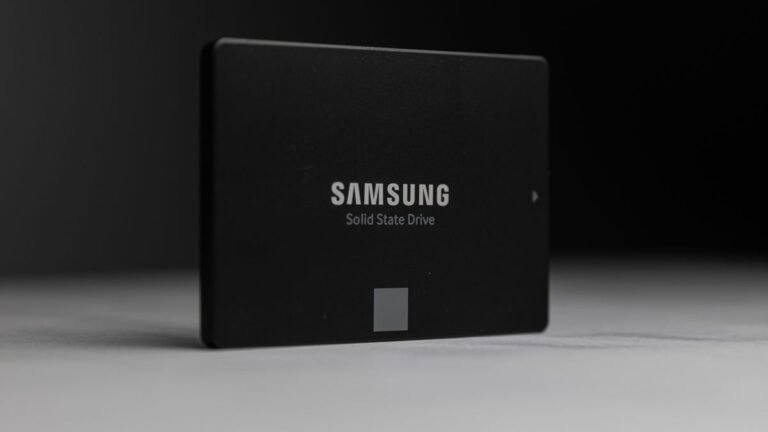
An SSD usually makes the system feel more responsive than a traditional hard drive. For most buyers, 512 GB is a useful starting point, while 1 TB becomes attractive if you save large videos, games or project files locally. Check whether storage is upgradeable and whether the laptop uses NVMe or SATA—both can be useful, but they are not interchangeable in every slot.
For a deeper explanation, see our separate guide on SATA vs NVMe SSDs.
4. Display quality affects everyday comfort
Do not choose only by screen size. Check resolution, brightness, viewing angles, surface glare and colour coverage. For most general-purpose 14- to 16-inch laptops, a good Full HD-class or sharper display is a sensible baseline. If you work outside or in bright rooms, brightness and anti-glare treatment matter more than flashy marketing names.
Designers and photo editors should pay extra attention to colour accuracy. A 120 Hz or higher-refresh display can feel smoother, but it is not automatically more colour accurate.
5. Battery, weight, keyboard and ports
- Battery: Compare independent real-world tests, not only advertised hours. Screen brightness and workload change endurance dramatically.
- Weight: If you commute daily, even a small weight difference can matter.
- Keyboard: Test the layout, travel and trackpad if possible.
- Ports: Count USB-A, USB-C, HDMI, headphone and card-reader needs. USB-C does not guarantee charging or video output.
- Service: Check warranty terms, authorised service availability and return policies in India.
6. Should you buy a laptop with a dedicated GPU?
For office tasks, web browsing and most study work, modern integrated graphics can be enough. A dedicated graphics card can help with certain games, 3D work and accelerated creative software, but it also often increases cost, heat and power use. Check the exact GPU model and power configuration rather than buying based on the word “gaming”.
Common mistakes to avoid
- Buying a very low-storage model without checking upgrade options.
- Assuming every Core i5 or Ryzen 5 performs the same.
- Ignoring the screen, webcam and microphone when buying for online classes.
- Choosing only by discount percentage instead of the final value.
- Forgetting after-sales support, warranty and replacement terms.
Final laptop buying checklist
Write down your main workload, then confirm the exact processor, RAM capacity and upgradeability, SSD size, screen brightness, ports, battery review, warranty and seller. Once you have shortlisted two or three models, compare their full specification sheets and genuine long-term reviews. Browse more technology products on Shopsemall All Products.
Frequently asked questions
Is 8 GB RAM enough for a laptop in 2026?
It may be enough for basic tasks, but 16 GB generally gives more breathing room for multitasking. Choose according to the software you actually use.
Is an SSD more important than a faster processor?
For a computer still using a traditional hard drive, moving to an SSD can make everyday responsiveness noticeably better. For intensive computing tasks, CPU performance also matters.
Is a 14-inch or 15.6-inch laptop better?
Choose a smaller device for easier travel, or a larger one if screen space and keyboard layout are bigger priorities.
Should I buy online or from a local shop?
Either can work. Compare genuine model numbers, written warranty coverage, authorised sellers, invoice quality and return terms.
Disclosure: Shopsemall may earn a commission from qualifying purchases made through affiliate links, at no extra cost to you. This article is an independent buying checklist, not a live price comparison. Featured image: alleksana / Pexels.